

Railway
Connect Railway as an access review source using an account API token so Probo can list the members of every workspace your account belongs to.
Probo reads the members of your Railway workspaces through the Railway GraphQL API so you can review who has access.
Prerequisites
Section titled “Prerequisites”- Probo organization administrator access
- A Railway account token from an account that belongs to every workspace you want to review (the review only covers workspaces the token’s account is a member of)
Collected Fields
Section titled “Collected Fields”| Probo field | Railway field | Notes |
|---|---|---|
| Name | name | Falls back to the email |
email | ||
| Role | role | ADMIN → Admin, MEMBER → Member; other roles are shown as-is, and roles are combined across the account’s workspaces |
| Admin | role | Flagged as an administrator when any workspace lists the member’s role as ADMIN |
| Status | Not supported | |
| MFA | twoFactorAuthEnabled | Whether two-factor authentication is enabled for the member |
| Last login | Not supported | |
| External ID | id | Stable identifier used to track the account across reviews |
| Created at | Not supported |
Step 1: Create an Account Token
Section titled “Step 1: Create an Account Token”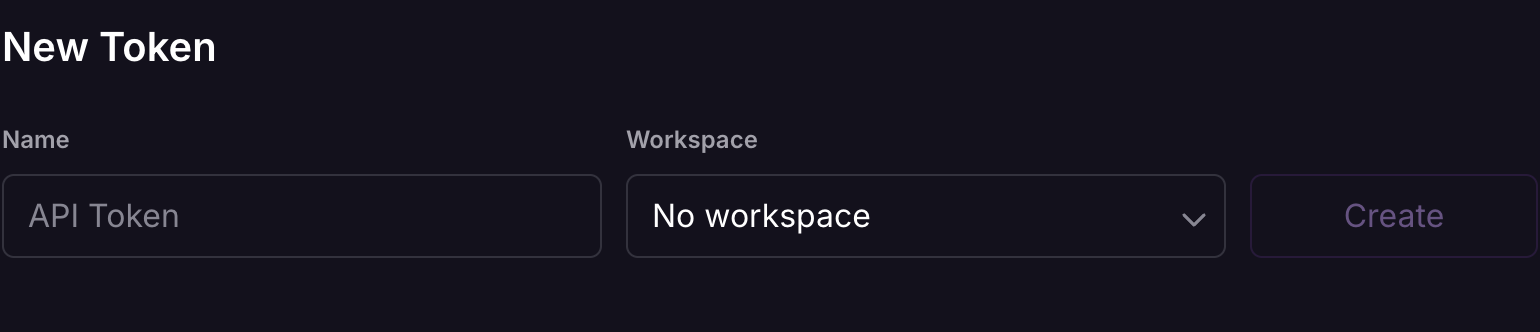
- In Railway, go to Account Settings > Tokens.
- Name it (e.g.
Probo Access Review), leave the workspace selector on No workspace so the token is tied to your account, and create it. - Copy the token and store it securely. It’s shown only once.
Step 2: Connect in Probo
Section titled “Step 2: Connect in Probo”- In Probo, go to Settings > Connectors and click Add more to open the Marketplace.
- Find Railway and open it.
- Enter a Name for the connection (e.g.
main), paste the token into API key, and click Connect. - Go to Access Review > Sources, click Add sources, tick Railway, and click Add.
Probo names the source after your Railway workspace, or after your account when the token’s account belongs to several workspaces, and pulls their members into your campaigns.
Troubleshooting
Section titled “Troubleshooting”- Token rejected. Confirm it’s an account token, created with No workspace selected. A workspace or project token won’t work, because Probo’s query resolves your personal account.
- No members appear. The token’s account must belong to the workspace you’re reviewing; members of workspaces the account is not in are not visible.